How to Connect Hotel Wifi to Ps5

To connect hotel Wi-Fi to your PS5, simply go to the network settings on your console and select the hotel’s Wi-Fi network. Enter the password when prompted, and you will be connected to the internet.
When staying at a hotel, it’s common to want to connect your gaming console, such as a PS5, to the Wi-Fi for online gaming or streaming. However, the process may be slightly different from connecting to a home network. We will guide you on how to connect your PS5 to the hotel Wi-Fi network easily and without any hassle.
By following a few simple steps, you’ll be able to enjoy your favorite games and online content on your PlayStation 5 while staying at a hotel. So, let’s get started and ensure a smooth gaming experience during your hotel stay.
Preparing Your Ps5 Console For Connection
Ensure a seamless connection between your Ps5 console and hotel wifi by following these simple steps. Set up your console by accessing the network settings, entering the wifi password, and confirming the connection. Enjoy uninterrupted gaming during your stay!
Checking Your Console’S Network Settings:
- Go to the main menu on your Ps5 console by pressing the PlayStation button on your controller.
- Select the ‘Settings’ option.
- From the settings menu, choose ‘Network’.
- Go to ‘Settings’ and select ‘Network’.
- Choose ‘Set Up Internet Connection’.
- Select either Wi-Fi or LAN cable as your preferred connection method.
- Follow the on-screen instructions to connect to the hotel network.
- Enter the password, if required.
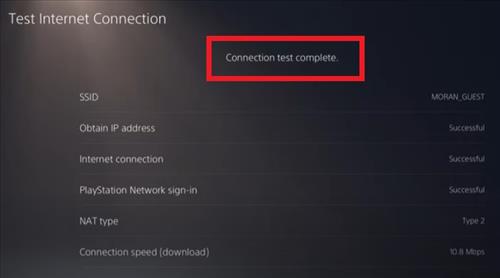
- Wait for the connection to be established.
Ensuring Your Console’S Firmware Is Up-To-Date:
- On the main menu, go to ‘Settings’.
- Select ‘System’ and then ‘System Software’.
- Choose ‘System Software Update and Settings’.
- Select ‘Update System Software’ and follow the on-screen prompts.
- If an update is available, download and install it.
- Ensure your console is connected to a stable internet connection during the update process.
- Wait for the update to complete.
Gathering Required Information For Connecting To Hotel Wifi:
- Contact the hotel front desk for the following information:
- SSID (network name) of the hotel wifi.
- Password for the hotel wifi.
- Security type (e.g., WPA2, WPA3) used by the hotel wifi.
- Write down or save this information for later use during the connection process.
Remember to stay patient and follow the instructions carefully to ensure a successful connection to the hotel wifi for your Ps5 console. Enjoy your gaming experience!
Connecting To Hotel Wifi On Ps5 Console
Learn how to effortlessly connect your Ps5 console to hotel wifi with these easy steps, ensuring a seamless gaming experience while on the go.
Connecting your Ps5 console to the hotel wifi can sometimes be a bit tricky, but fear not! We’ll walk you through the process step by step. Just follow these instructions to get you gaming in no time.
Accessing The Wifi Settings On Your Console
To connect your Ps5 console to the hotel wifi, you’ll need to access the wifi settings. Here’s how you can do it:
- From the Ps5 home screen, navigate to the settings menu.
- Scroll down and select the network tab.
- Choose the “Set Up Internet Connection” option.
- Select the wifi connection option.
Selecting The Hotel Wifi Network
Now that you’re in the wifi settings, it’s time to select the hotel wifi network. Here’s what you need to do:
- Choose the wifi network name from the list of available networks.
- If the hotel network requires a password, enter it when prompted. Ensure that you type the password correctly to avoid any connection issues.
- If you don’t see the hotel wifi network on the list, try restarting your console and refreshing the network options.
Entering The Required Login Credentials (If Any)
Once you’ve selected the hotel wifi network, you may need to enter some login credentials. Here’s what you should do:
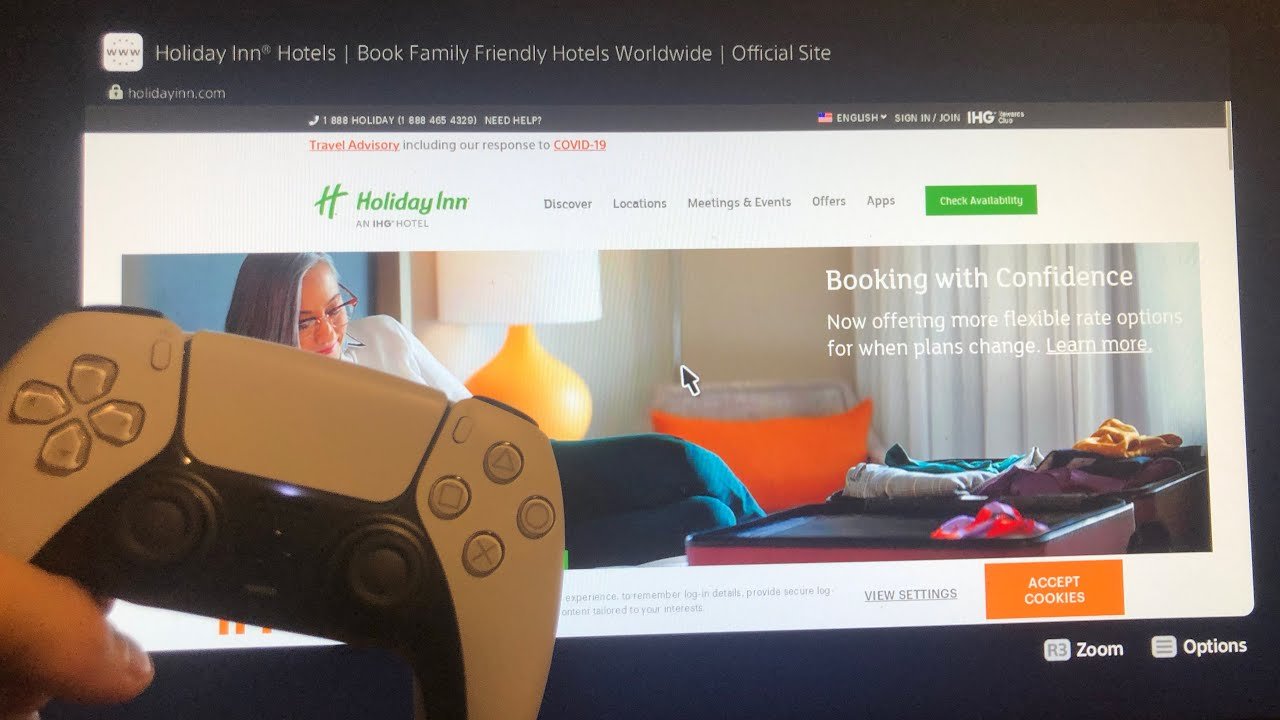
- If the hotel requires a login through a web page, open the internet browser on your Ps5 console.
- Navigate to any website. This action will redirect you to the hotel’s login page.
- Enter the necessary credentials (such as room number and last name) on the login page.
- Once you’ve successfully logged in, you should be connected to the hotel wifi network.
Troubleshooting Connection Issues
If you encounter any connection issues while connecting your Ps5 console to the hotel wifi, follow these troubleshooting steps:
- Move closer to the wifi router or access point to improve the signal strength.
- Restart your Ps5 console and try reconnecting to the wifi network.
- Check if your console’s software is up to date. If not, ensure you have the latest system software installed.
- Contact the hotel’s front desk for assistance if you continue to experience connection issues.
Now that you’re armed with these instructions, you should be able to connect your Ps5 console to hotel wifi without any hassle. Happy gaming!
Optimizing Your Hotel Wifi Experience On Ps5 Console
Learn how to seamlessly connect your Ps5 console to hotel wifi for the best gaming experience. This guide provides step-by-step instructions to optimize your hotel wifi and ensure uninterrupted gameplay on your Ps5.
Connecting your Ps5 console to hotel wifi may seem like a daunting task, but with a few adjustments and optimizations, you can enjoy smooth online gaming and minimize latency. In this guide, we will explore three key strategies to enhance your hotel wifi experience on Ps5:
Adjusting Console Settings For Better Performance
To get the most out of your hotel wifi connection on your Ps5 console, consider making the following adjustments:
- Change the DNS settings: By switching to a faster, more stable DNS server, you can reduce latency and improve overall internet performance.
- Enable Quality of Service (QoS): QoS settings prioritize gaming traffic on your network, ensuring a smoother online gaming experience.
- Disable power-saving mode: Keeping your console in full power mode can prevent any performance issues related to low power settings.
Utilizing Port Forwarding For Online Gaming
Port forwarding is a technique that allows specific data packets to pass through your router, directly to your Ps5 console. By forwarding the necessary ports for online gaming, you can enhance connectivity and reduce any potential connectivity issues. Here’s how you can do it:
- Identify the ports required for your specific game: Each game may have different port requirements. A quick online search or consulting the game’s official website can provide you with the necessary port information.
- Access your router settings: Enter your router’s IP address in your web browser and login with your credentials to access the settings.
- Set up port forwarding: Look for the port forwarding or virtual server section in your router settings. Add the necessary ports and assign them to your Ps5 console’s local IP address.
Minimizing Latency And Enhancing Online Gaming Experience
When it comes to online gaming, low latency is crucial for fast and responsive gameplay. Here are some tips to reduce latency and enhance your hotel wifi gaming experience:
- Connect via Ethernet: While wifi is convenient, using an Ethernet cable can provide a more stable and reliable connection, reducing latency and potential signal interference.
- Limit bandwidth-intensive devices: In a hotel environment, multiple devices may be connected to the same wifi network. To ensure optimal gaming performance, ask other guests to limit their bandwidth-intensive activities such as streaming or downloading large files.
- Use a VPN (Virtual Private Network): A VPN can help mask your internet traffic and potentially improve latency by connecting to a server closer to the game servers’ location.
By following these tips and making the necessary adjustments, you can optimize your hotel wifi experience on your Ps5 console. Enjoy lag-free online gaming and make the most out of your stay.
Credit: www.wirelesshack.org
Frequently Asked Questions Of How To Connect Hotel Wifi To Ps5
Why Won’T My Ps5 Connect To Hotel Wifi?
Your PS5 may not connect to hotel WiFi due to compatibility issues or network restrictions.
How Do I Get Wifi On My Ps5 At A Hotel?
To get WiFi on your PS5 at a hotel, connect to the hotel’s WiFi network using the console’s settings.
How Do I Trigger A Wifi Login Page?
To trigger a WiFi login page, open your web browser and try to access any website. The login page will then appear automatically.
How Do I Manually Connect To Wifi On Ps5?
To connect to WiFi manually on PS5, go to settings, select network, and then choose “Set Up Internet Connection. “
Conclusion
After reading this post, you are now equipped with the knowledge and steps to easily connect your PS5 to hotel Wi-Fi. By following the troubleshooting tips, you can overcome any obstacles or limitations that may arise while trying to connect.
Remember to check the hotel’s Wi-Fi policy and security measures to ensure a smooth and secure gaming experience. With the right approach and understanding of the PS5’s network settings, you can enjoy your gaming sessions without any interruptions. Stay connected and game on!